Ping Pong Go!
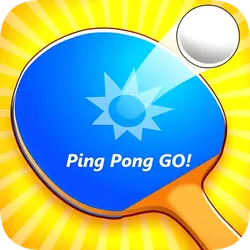
Ping Pong Go starts with short table-tennis rallies against a computer opponent. You need to reach the ball after its bounce and place your return where the opponent cannot reach it. Beyond those matches, there are shrinking targets to aim for and bugs to knock down with the ball.
How to play Ping Pong Go
- Move the mouse to move your bat. On a touchscreen, hold and drag a finger. Sweep the bat upward through the ball to serve; meet incoming shots after they bounce on your side.
- A faster upward stroke sends a faster, deeper return. Sideways movement changes its direction. You do not need a separate shoot button.
- The first five Arcade levels need two stars each. Winning a rally adds one; losing removes one, but never takes you below zero. The target rises to three stars at level 6, four at level 11 and five from level 16 onward.
- Complete the first Arcade level to unlock the other modes. Progress and unlocked bats are saved.
- Career has six computer opponents per season. By default, a game needs 11 points and a two-point lead; win three games to take the match. Change the match length in Career Settings.
- In Challenge, return the robot's ball onto the target for a point. Each hit moves and shrinks the target; a return landing outside it ends the attempt.
- Bug Hunt gives you 60 seconds to hit bugs with the ball. Each bug is worth a point. Clearing a whole wave adds five seconds, up to the original 60-second limit.
- Earn gems through play and use them in Bats to unlock designs. These change the bat's appearance, not its hitting power.

Tips
- In Challenge, use a slower upward stroke when the target is near the net and a faster one when it is near the far edge. Adjusting stroke speed changes where the ball lands.
How far can you climb through the Arcade levels?