Co-op Meaning in Games: Local, Online and Split-Screen
By AzFreeGame
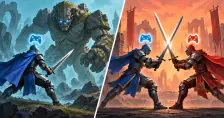
Co-op means cooperative play: you and at least one other player work together to complete a shared goal. It is one kind of multiplayer. Racing against a friend is multiplayer too, but you are rivals rather than partners.
To choose a game, match its co-op mode to your devices first. “Multiplayer” alone can mean competitive play; “co-op” alone does not tell you whether your group needs one console or several.
Playing together on your devices
| Your setup | Look for |
|---|---|
| One PC or console | Couch co-op or same-system co-op. |
| Separate devices nearby | A co-op mode using local wireless, LAN or a compatible online connection. |
| Players in different homes | Online co-op or supported local-game streaming. |
| Couch players plus a remote friend | Support for combining local and online players. |

Local and online co-op
Couch co-op means sharing one PC or console. Each person still needs a supported way to control their player. The game may use a shared camera or split the screen.
“Local multiplayer” can also mean separate devices connected nearby, not one shared machine. For example, Mario Kart 8 Deluxe local wireless play requires a copy on each Switch. You can use that connection to race against friends, so “local” does not necessarily mean cooperative.
Online co-op connects players over the internet. You can use it from different homes or while sitting beside each other. If one friend plays on PC and another on a console, the game needs crossplay for that exact pair. Both owning a game with the same title is not enough: Overcooked 2's platform restrictions are one example.
Two people on the sofa and one friend elsewhere? You need an online session that accepts two players from the same console, with room for at least three players overall. Separate “local co-op” and “online co-op” labels do not confirm that combined setup.
Shared screen or split-screen?
Shared screen: everyone plays within one overall view. Split-screen: the display is divided into individual views, so each player can see their own position. Neither layout tells you whether the players are teammates or opponents.
It Takes Two uses split-screen for both couch and online co-op. You can see your partner's view even when you are not sitting beside them.

Copies, controllers and campaign saves
Separate players do not always need separate purchases. A guest pass may cover a second player, while Steam Remote Play Together streams a supported local multiplayer game from its owner's PC. With Remote Play Together, only the host owns and runs the game; friends join that streamed session rather than launching their own copies.
Before buying for a group, settle three things:
- Copies and access: how many purchases or guest passes are needed, which accounts guests need, and whether console online play needs a subscription.
- Inputs: which controllers or keyboard combinations the game accepts. Remote Play Together normally merges guests' keyboard and mouse input with the host's; separate input handling needs game support. Two keyboards therefore do not automatically become player one and player two. Check whether your game needs controllers or supports shared-keyboard controls.
- Player count: how many can join your chosen mode. A four-player online limit does not promise four-player couch co-op.
For a campaign, ask one more question: can each player continue from that point in their own save? If only the host keeps mission progress, a guest may need to replay missions later. Keeping a character's items or levels does not necessarily mean their campaign has advanced too; check what the game carries over for guests.
In It Takes Two, EA says a Friend's Pass guest can carry saved progress into their own purchased copy. Once the joined session has saved, chapters up to that point unlock for the guest. Buying the game then lets them host from that save or choose an earlier unlocked chapter. Without buying, they still need an owner to invite them; keeping progress is not the same as owning access.
Sources and image credits
- EA: It Takes Two Friend's Pass FAQ, guest saves and hosting rights
- Valve Steamworks: Remote Play Together merged input and optional direct-input support
- EA: It Takes Two couch, online and split-screen features
- Nintendo: Mario Kart 8 Deluxe local wireless connections and copy requirements
- Valve: Steam Remote Play Together
Original diagrams: © 2026 AzFreeGame. These explain multiplayer concepts and are not game screenshots.